 Prompt Brush
What is Prompt Brush
A drawing app where the AI is one of the tools
Prompt Brush is a vector drawing app for the Mac. You say what you want, and where, and an AI model draws it as SVG. What it draws lands on your canvas as a layer, beside the shapes, paths and text you make by hand.
You paint where. You say what.
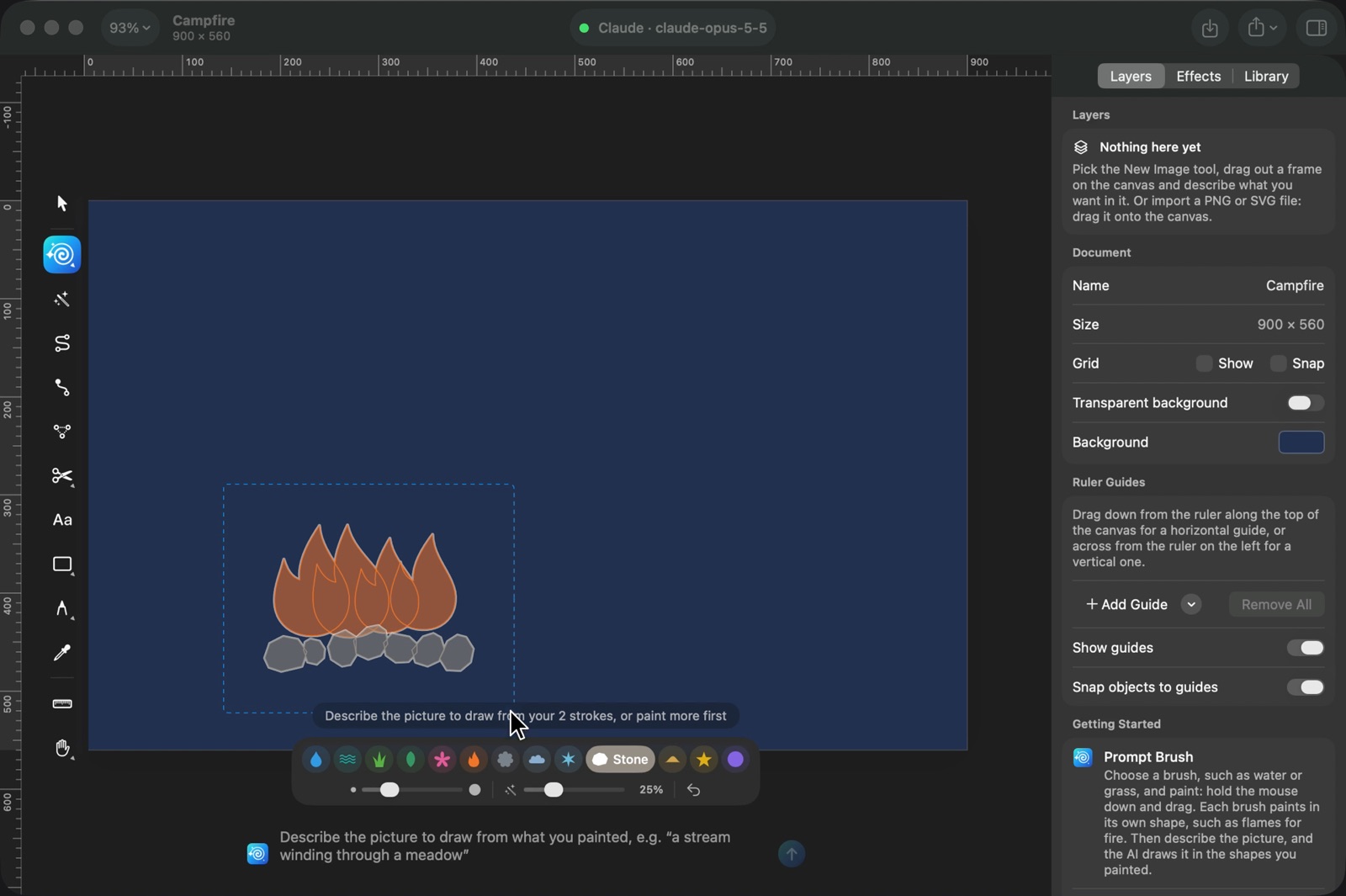
The tool the app is named after works in two steps. First you paint, with a brush that stands for something: water, waves, grass, foliage, flowers, fire, smoke, clouds, snow, stone, sand or stars. Each paints in its own shape, so a stroke of the Fire brush is a row of flames and a stroke of the Stone brush is a row of stones.
Then you describe the picture. The AI is sent your words and the shapes you painted, and draws each thing where you painted it and as large as you painted it. A slider, creative freedom, says how far past your shapes it may take the picture.
The AI draws vectors, not pixels
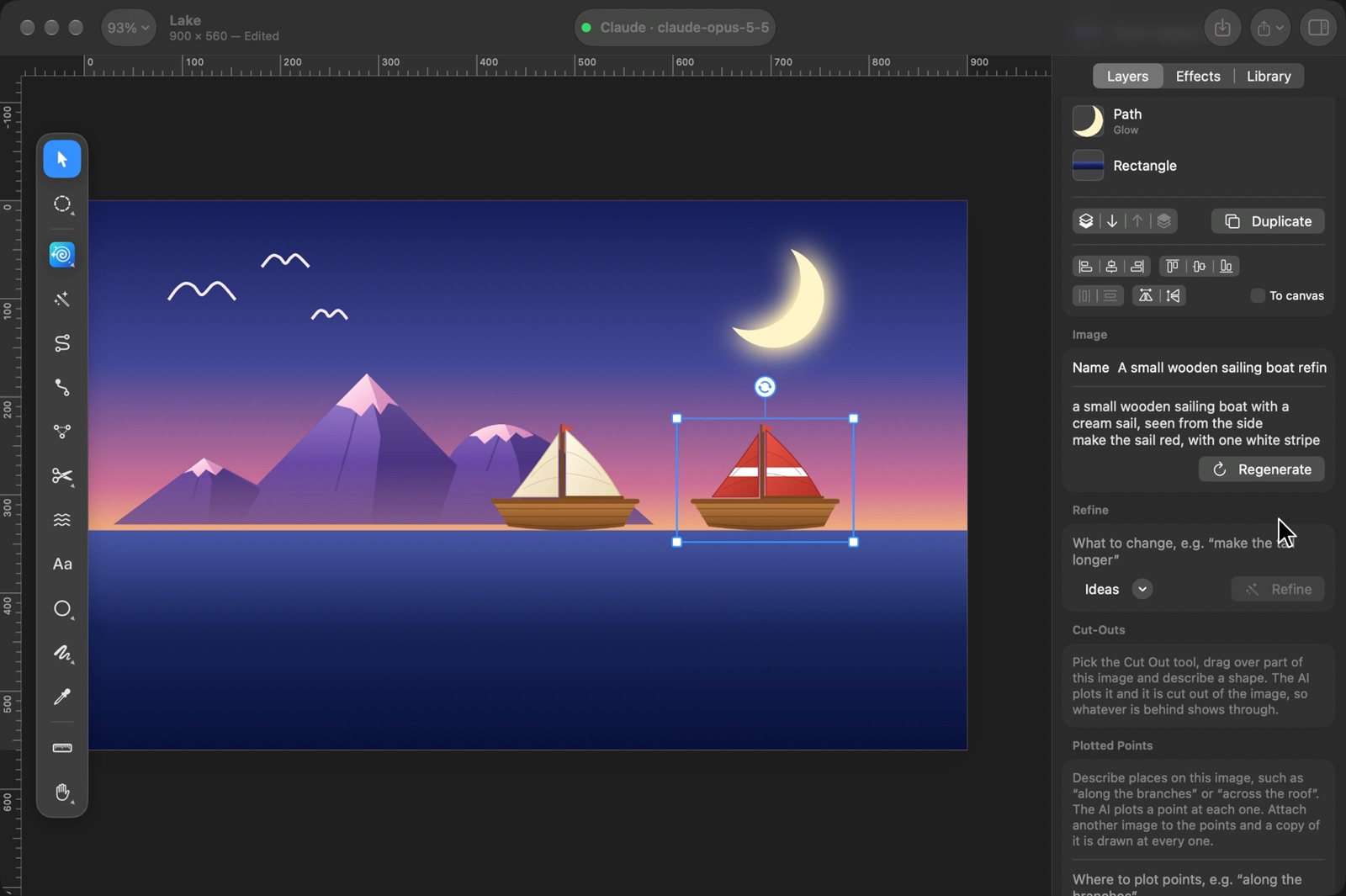
Everything the AI makes is SVG: shapes with fills, strokes and gradients. So a picture stays sharp at any size, and it stays something you can work on.
- Refine an image by saying what to change. The new one arrives beside the old, to compare.
- Cut out a shape you describe, leaving a hole that whatever is behind shows through.
- Draw inside an outline you drew: the AI is told the outline and draws a picture to fill it.
- Ask for alternatives: four or six takes on one description, side by side, to choose between.
It plots paths and points, too
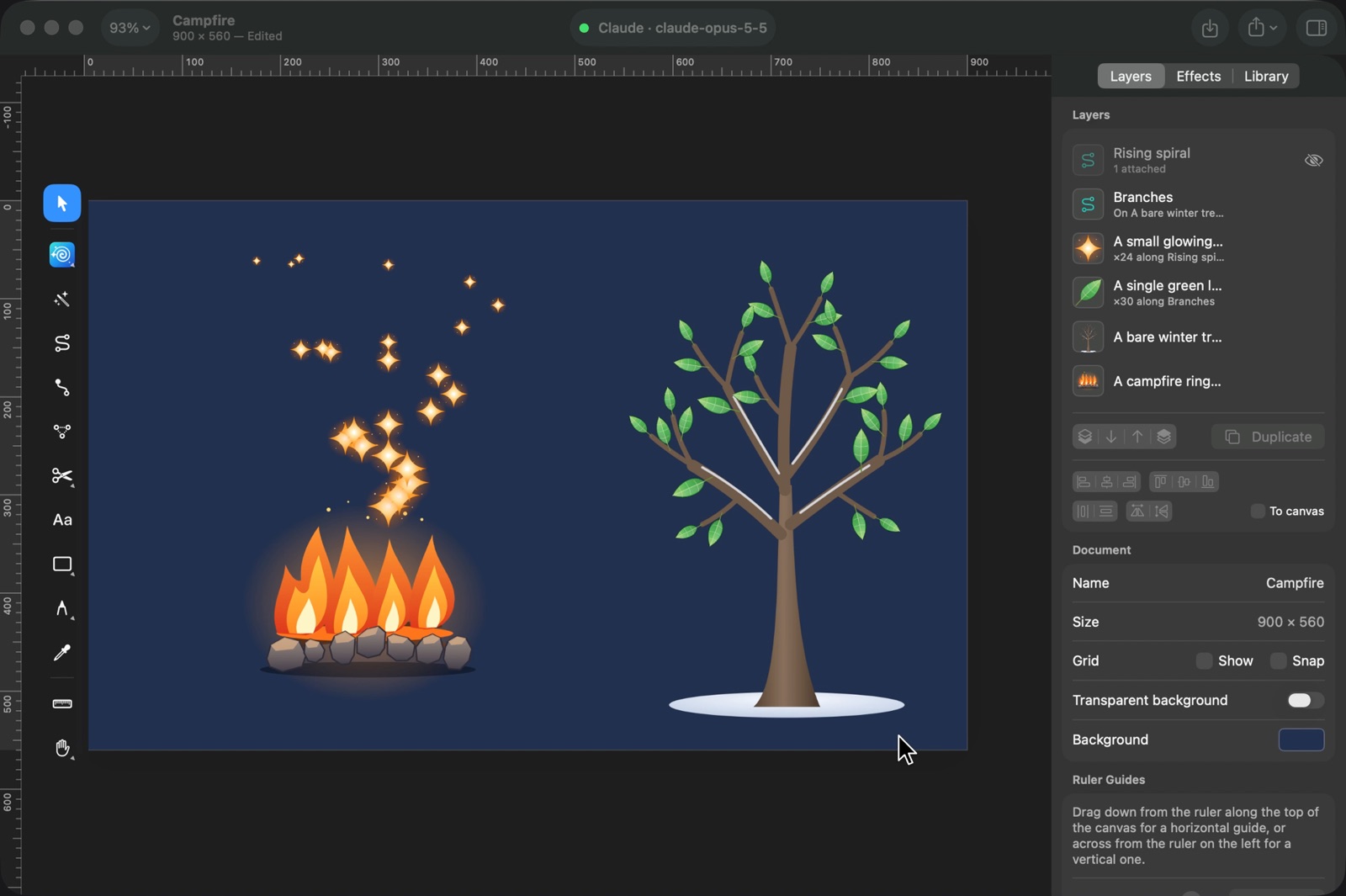
Describe a path, such as “a spiral rising from the bottom”, and the AI plots its coordinates as a guide: a line of points that isn't printed. Drag an image onto a guide and you get a copy at every point, turned the way the path goes. Drag text onto it and the letters run along the path.
Draw & Plot does both at once: a bare tree, say, with a point plotted wherever a leaf could grow. Then one leaf is all you need.
And the tools you would expect, with no AI in them
Nothing typed or drawn with these goes anywhere.
Shapes, Pen and Pencil
Rectangles, ellipses, lines, polygons and stars, with fills, gradients, strokes, dashes and arrowheads. Outlines of any shape with the Pen, with Bézier handles, or freehand with the Pencil. Shapes can be united, subtracted, intersected and excluded.
Text
In any font on your Mac, on its own or along a path. In an exported SVG the letters are written as outlines, so the file needs no font.
Reflection
Reflects an image, a shape or text in water: turned over where it stands, rippled, and fading as it comes towards you. The reflection follows the layer and is kept when you export.
Effects
Drop shadow, glow, blur, tint, brightness, contrast, saturation, hue, invert and sepia, on any image, shape or text. They can be changed or taken off again at any time.
Selecting and arranging
Area selections that delete what is inside them, masks, groups, alignment, distribution, flipping, locking, rulers, ruler guides, a grid, and snapping to all of them.
A library
Everything the AI draws or plots for you is kept, from every document, with what you asked for, filed by type and searchable. Use any of it again in any document.
A style guide
Check the things whose look you want kept to, and the AI is shown them each time it draws something new, so a set of graphics comes out in one style.
What comes out
- SVG: one standalone file. Your text is written as letter outlines, effects as filters, and each reflection as an embedded picture.
- PNG: at 1×, 2×, 3× or 4×, with a transparent background if the document has one.
- Prompt Brush documents (
.promptbrush): everything, still editable, in a JSON file.
PNG and SVG files can be imported as layers, too.
What it isn't
- Not a photo generator. The AI writes SVG markup. It suits illustrations, icons, logos, patterns and diagrams, not photographs.
- Not a service. There is no account and no subscription to Prompt Brush. It uses your own API key with Anthropic or OpenAI, and what you spend with them is between you and them.
- Not watching. No analytics, no advertising, no servers of its own. What is sent to the AI provider is shown to you before you agree to it.