Paint it roughly. Describe it exactly.

Prompt Brush is a Mac app for making vector pictures. You paint where things go and say what they are, and the AI draws them as artwork you can go on changing.

For macOS 15 or later. It draws with Claude or with OpenAI's models, using your own API key.

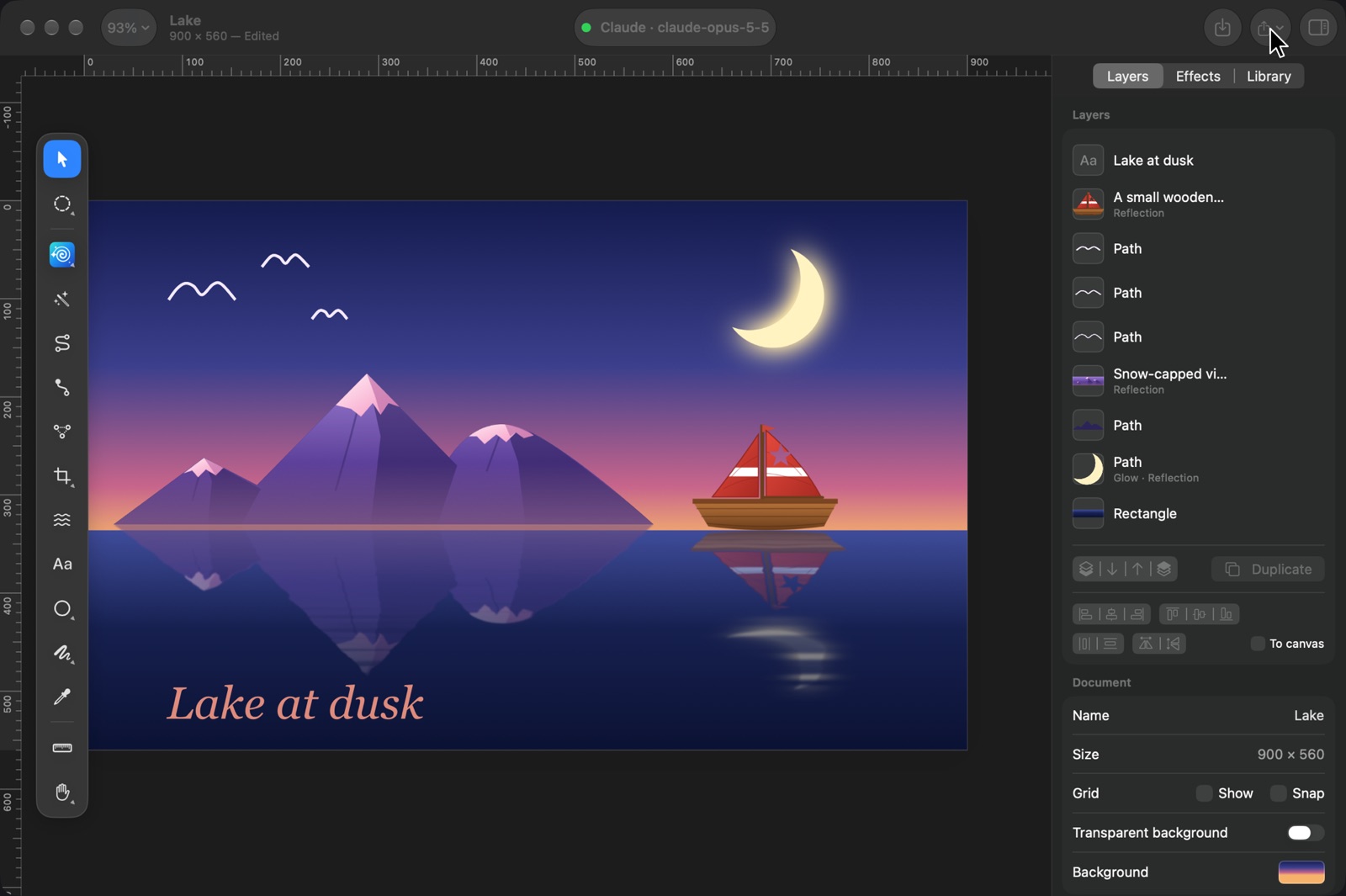
The Prompt Brush window: a lake at dusk with mountains, a crescent moon and a sailing boat, each reflected in the water, beside the list of layers that make it up

How it works

A brush for where, words for what

A description on its own leaves the AI to guess where everything goes. A rough painting on its own doesn't say what anything is. Prompt Brush takes both.

Paint

Pick a brush, such as fire, stone, water or grass, and drag. Each one paints in the shape of what it stands for: flames for fire, drops for water.

Describe

Type what the picture is, in your own words. The AI draws it in the shapes you painted, as SVG, and it arrives as a layer on your canvas.

Change and export

Move it, resize it, restyle it, refine it, cut shapes out of it, reflect it in water. Then export the canvas as SVG or PNG.

Demos

Watch it at work

Two pictures and a sheet of logo marks, each made from a blank canvas. The films have captions and no sound, and the waits for the AI are shortened.

A campfire under a tree in leaf

1 min 38 s · four pictures and two paths

  1. Flames and stones are painted with the Fire and Stone brushes, then described: “a campfire ringed with stones”.
  2. Draw & Plot draws a bare winter tree and plots thirty points along its branches.
  3. One leaf is drawn, then dragged onto the points for a copy at every one, each held by its stalk.
  4. Guidance plots a rising spiral from a description, and one spark is sent up it, dwindling as it climbs.
A lake at dusk, with the rest of the toolbox

2 min 31 s · shapes, pictures, text and reflections

  1. Water and a moon are drawn as shapes; an ellipse selection bites the moon into a crescent, and an effect gives it a glow.
  2. A mountain outline is drawn with the Pen, and the AI draws snow-capped mountains inside it.
  3. A boat is drawn, refined to have a red sail, and has a star cut out of it.
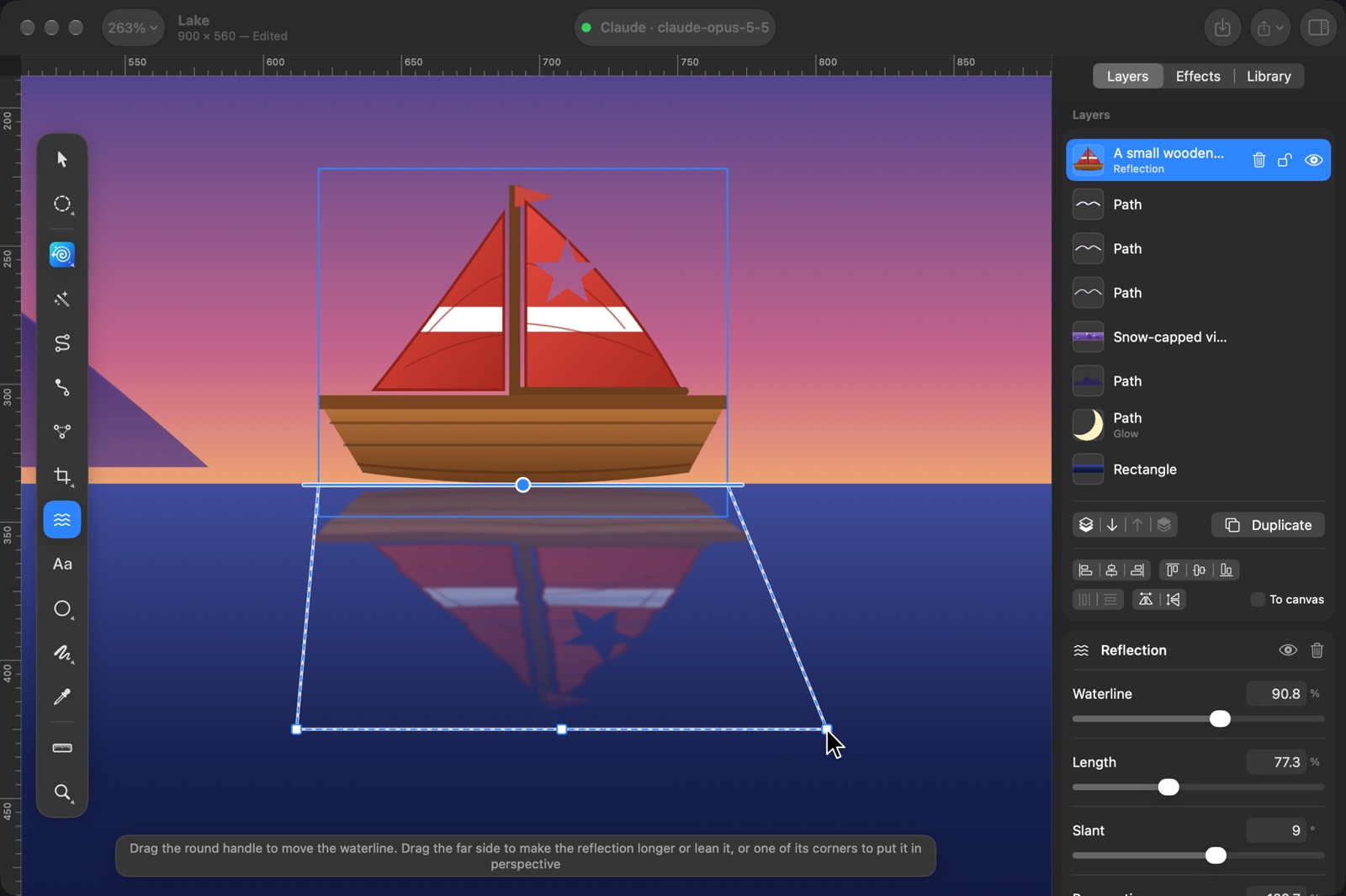
  4. The Reflection tool mirrors the boat, the mountains and the moon in the water, and a title takes its colour from the sky.

Eight logo marks, built from shapes

2 min 32 s · seven by hand and one by the AI

  1. One stroke repeated round a centre is a pinwheel; a hexagon's outline, offset inward twice, is a nest of rings.
  2. Three rings are made one path and woven over and under each other; a disc is sliced with the Knife and slanted.
  3. A bar and its mirror image fold into a peak, one casting a shadow on the other; dots follow a ruler guide bent into a curve.
  4. Build with Shapes has the AI plan the last mark, and the app builds it from ordinary shapes. How each is made.

What you get

Vector artwork, all of it still editable

Pictures that follow paths

Describe a path, such as a spiral, and the AI plots it. Drag an image onto it for a copy at every point, or run text along it.

The AI works on what is there

Refine an image by saying what to change. Cut a described shape out of it. Have a picture drawn inside an outline you drew.

Tools for doing it by hand

Shapes, a Pen and a Pencil, text, area selections, ruler guides, alignment, effects and a reflection in water. No AI needed for any of them.

More about what Prompt Brush is

Your privacy

No account, no analytics, no advertising

Prompt Brush has no servers of its own and collects nothing. What you ask for goes straight from your Mac to the AI provider you chose, with your own API key, and only when you ask the AI for something, apart from one question it is asked for you, which the docs describe.

The app shows you exactly what is sent before you agree to it, and nothing is sent until you do.

What is sent, item by item

A sailing boat with a red sail, reflected in rippled water, with the Reflection tool's handles round the reflection

Make something with it

Prompt Brush runs on macOS 15 or later.